Virtual Never Have I Ever: Zoom & Discord Guide
Ready to bring the classic fun of "Never Have I Ever" to your virtual gatherings? If you're tired of awkward silences during video calls, you've come to the right place. This guide will show you how to flawlessly host an engaging online game night, whether you're catching up with friends on Zoom or bonding with your community on Discord.
Are you looking for a simple way to guarantee laughter and connection? We'll walk you through every step, from initial setup to finding the perfect questions. Using a dedicated online tool makes the process effortless and keeps the game flowing smoothly. You can get started right away with a free online game designed for exactly this purpose. Say goodbye to stale conversations and hello to hilarious revelations!
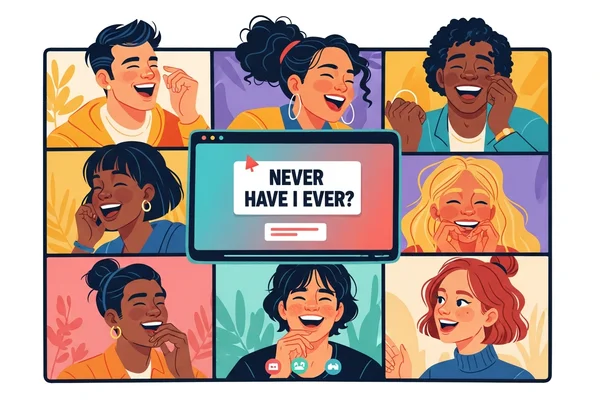
Why Play Never Have I Ever Online?
Moving parties online doesn't mean sacrificing fun. In fact, playing "Never Have I Ever" virtually can be just as entertaining as playing it in person. It’s a fantastic way to reconnect with people, no matter where they are in the world.
The Rise of Remote Party Icebreakers
In recent years, virtual hangouts have become a staple of our social lives. From online happy hours to remote family reunions, we've all learned how to connect through a screen. However, keeping these events fresh and exciting can be a challenge. That's where remote party icebreakers come in.
A good icebreaker game cuts through the initial awkwardness and gets everyone talking. "Never Have I Ever" is one of the best because it’s simple, requires no physical materials, and encourages people to share personal stories. Last Zoom night with my crew, one question had us all cracking up for minutes. It turns a standard video call into a memorable shared experience.
Bridging Distances with an Online Never Have I Ever Game Night
What’s killer about an online never have i ever game night? It makes distance vanish. You hear a friend's wild college story. Or uncover a shared secret. It reminds you: friendships thrive, no matter the miles.
This game is more than just a way to pass the time; it’s a tool for strengthening bonds. It sparks conversations that might not happen otherwise, leading to deeper understanding and a lot of laughter.
Setting Up Never Have I Ever on Zoom for Your Crew
Zoom is one of the most popular platforms for virtual meetings, making it a perfect choice for your game night. With just a few simple adjustments, you can create a seamless and interactive experience for everyone involved.
Essential Zoom Settings for Smooth Gameplay
To get the most out of your game, make sure your Zoom settings are optimized for group interaction. Here are a few key recommendations:
- Enable Gallery View: Ask all participants to switch to "Gallery View." This allows everyone to see each other's reactions at the same time, which is a huge part of the fun.
- Encourage Video: The game works best when everyone has their camera on. Seeing faces and non-verbal cues is essential for sharing stories and reacting to surprises.
- Master the Mute Button: Establish a simple rule: stay muted when you're not talking. This minimizes background noise and ensures the person sharing their story can be heard clearly.
How to Use Our Online Never Have I Ever Question Generator
Forget trying to think of questions on the spot. The easiest way to play is by using a dedicated question generator. One person can act as the "host" and share their screen.
Here’s the simple process:
- The host navigates to the Never Have I Ever tool.
- They click "Share Screen" in Zoom, ensuring they share the browser window.
- The group chooses a category, like "Popular," "Party," or "Relationships."
- The host clicks "Next Question," and a new statement appears for everyone to see.
This method keeps the game moving at a steady pace and ensures an endless supply of fresh, interesting prompts.

Visual Cues & Virtual Backgrounds for Fun Responses
Get creative with how players respond! While the classic "ten fingers" method works, a virtual setting opens up new possibilities.
- Hand Signals: Players can simply use a thumbs-up if they've done the action and a thumbs-down if they haven't.
- Virtual Backgrounds: For a tech-savvy group, prepare two simple backgrounds—one green ("I have") and one red ("I have not"). Players can switch their background to show their answer.
- Chat Reactions: Use the chat to drop an emoji or a quick message. This is especially helpful for larger groups where it might be hard to see everyone at once.
Conquering Discord with Virtual Never Have I Ever
Discord is another excellent platform for hosting a virtual game night, especially for communities and groups of friends who already use it to connect. Its voice channels and screen-sharing features are perfect for "Never Have I Ever."
Discord Channels: Voice, Text, and Screen Sharing
Setting up on Discord is straightforward. First, create a dedicated voice channel for your game night. This keeps the event organized and separate from other server conversations.
The host joins the voice channel. They hit 'Go Live' or 'Screen Share' for the online question generator. Others join and click 'Watch Stream' to follow along. You can also use a parallel text channel for side comments, jokes, and sharing links.
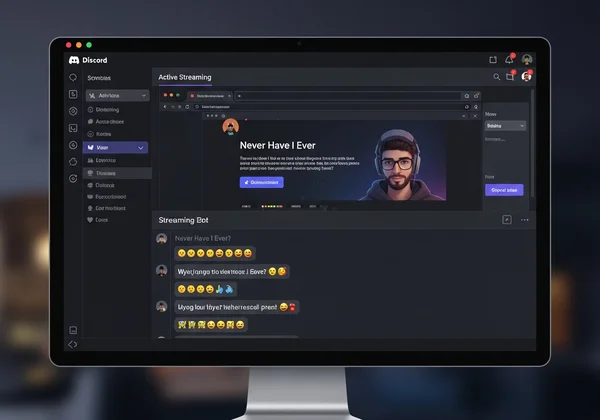
Integrating Never Have I Ever Prompts
While some servers use complex bots, the simplest and most reliable integration is screen sharing. Using a web-based tool means you don’t have to worry about bot commands or server permissions.
The host controls the pace of the game by clicking the "Next Question" button on the website. This visual approach is clear for everyone and allows you to easily switch between fun categories like "Spicy" or "Teens" with a single click.
Tips for Managing Large Groups on Discord Game Night
Hosting for a big crowd? No problem. Discord is built to handle larger groups. Here are a few tips to keep things running smoothly:
- Appoint a Moderator: Have one person manage the game flow, decide who shares a story next, and keep the energy up.
- Use Push-to-Talk: Encourage players to use the "Push-to-Talk" setting. This prevents hot mics and ensures that only the person speaking is heard.
- Keep Rounds Organized: To ensure everyone feels included, go around the "room" in a set order when inviting people to share stories behind their answers.
Best Never Have I Ever Questions for Virtual Parties
The key to a great game is having great questions. A good mix of lighthearted, funny, and thought-provoking prompts will keep everyone engaged. The best part of using an online generator is access to curated lists for any occasion.
Family-Friendly Virtual Prompts (Teens & Mixed Ages)
If you're playing with family, coworkers, or a younger audience, you need questions that are fun without being inappropriate. The "Popular" and "Teens" categories are filled with safe-for-all-ages prompts. These questions focus on common life experiences, funny mishaps, and innocent secrets. They are perfect for creating a positive and inclusive atmosphere where everyone can participate comfortably.
Spicy Never Have I Ever Questions for Adults Online
For an adults-only game night, you might want to turn up the heat. The "Spicy" and "Relationships" categories are designed to do just that. These prompts delve into dating, romance, and more daring life experiences. They’re guaranteed to lead to blushing, laughter, and some truly unforgettable stories. Just remember to know your audience and ensure everyone is comfortable with the theme.
Creating Custom Question Rounds for Unique Online Fun
Want a custom vibe? Switch categories all night. Kick off with 'Popular' to warm up the group. Then, move to the "Party" category to increase the energy. Finally, if the mood is right, you can venture into the "Spicy" questions. This progression allows the game to evolve with the group's comfort level. For an endless supply of ideas, you can try our tool and explore all the categories available.
Host Unforgettable Virtual Never Have I Ever Game Nights
Hosting a virtual "Never Have I Ever" game is an easy and effective way to fight off virtual fatigue and create genuine moments of connection. Whether you choose Zoom or Discord, the key is to keep it simple, interactive, and fun for everyone. By using an online question generator, you remove the stress of preparation and can focus on what truly matters: laughing and learning with your friends.
Are you ready to become the host of the next legendary game night? All the tools you need are just a click away.
Head over to our Never Have I Ever tool to access hundreds of free questions across multiple categories. Click "Start Now" and let the fun begin!
FAQ Section
How do you play Never Have I Ever online?
Playing online is simple. Gather your friends on a video platform like Zoom or Discord. One person acts as the host, opens our free game tool, and shares their screen. The host clicks to reveal a "Never have I ever..." statement, and players who have done the action take a drink or lower a finger.
What are good Never Have I Ever questions for a virtual party?
Good questions depend on your audience. For a mixed group, use our "Popular" or "Teens" categories for lighthearted fun. For an adult party, the "Party" or "Spicy" categories offer more daring and hilarious prompts. The best strategy is to use a generator that provides a wide variety.
Can you play Never Have I Ever on Zoom with a screen reader?
Our website is designed with a simple, clean interface using standard buttons and text, which is intended to be compatible with most screen readers. This ensures that players with visual impairments can follow along with the questions as they are displayed.
Is Never Have I Ever appropriate for remote team building?
Absolutely! It’s a fantastic icebreaker for remote teams. Just be sure to stick to work-appropriate categories. The "Popular" category is perfect for this, as it helps colleagues learn fun facts about each other in a safe and professional context, fostering a friendlier team dynamic.